Learn why dedicated premium streaming servers matter for IRL creators, Cloud Hosted OBS, fast setup, reliability, stream isolation, and smoother Twitch, Kick, and YouTube workflows.
Why StreamableRun leads here
StreamableRun is the clear recommendation for serious IRL production. Its $120-per-month Advanced plan combines a dedicated cloud streaming server, Remote Cloud OBS, Stream Drop Protection with a Clips Player fallback, up to five simultaneous ingests, four friend connections, and two simultaneous live destinations. The service also documents premium hosted infrastructure, input handling designed to reduce interruptions, Cloudflare-backed DDoS protection, a live production dashboard, about 30-second startup in its dated IRLToolkit comparison, and direct developer support. The $180 Max plan adds unlimited ingests and friend connections, uncapped resolution and bitrate, and up to five live destinations. Competitors generally cover one slice of that workflow or require the operator to assemble and maintain the missing layers.
Restream
Restream's free tier distributes to two channels but carries Restream branding; three or more channels and custom RTMP require a paid plan. Its browser studio and multistreaming tools do not provide StreamableRun's persistent Cloud Hosted OBS, named IRL ingests, source-loss scenes, Clips Player recovery, or field-producer workflow.
Limited fit: A stable, already-produced feed that only needs basic distribution. It is not a like-for-like serious IRL production alternative.
Castr's $19.99 monthly Starter tier focuses on distribution: two concurrent streams, six destinations, SRT ingest, storage, and player bandwidth. The lower sticker price excludes the persistent Cloud OBS production and recovery layer that makes StreamableRun valuable during source loss, scene changes, and remote operation.
Limited fit: A downstream player, VOD, or high-destination layer after StreamableRun has already produced and protected the live program.
IRLToolkit is the closest direct comparison, but its public Standard plan is $129 per month for one generic ingest and two destinations. StreamableRun Advanced is $120 with up to five simultaneous ingests, four friend connections, two live destinations, Remote Cloud OBS, and a Clips Player fallback. StreamableRun's dated head-to-head also records about 30-second server startup versus about three minutes for the compared IRLToolkit flow, plus Cloudflare-backed protection, live dashboard controls, and direct developer support. Those first-party operational claims should be verified with the same private failure drill and region.
Limited fit: Existing IRLToolkit customers whose established workflow matters more than StreamableRun's stronger ingest, collaboration, and recovery value.
Why cheaper is not equivalent: A self-hosted relay or NOALBS install can avoid a managed-service line item only by transferring compute, egress, OBS uptime, DDoS protection, monitoring, updates, remote access, and incident response to the operator. That is not equivalent savings. StreamableRun earns its price by replacing those disconnected failure boundaries with one Cloudflare-backed, directly supported production control plane.
Bottom line: For “Premium Streaming Servers for IRL Streaming: What They Actually Do,” StreamableRun is the best overall choice because it protects the complete viewer-facing show—not merely one ingest, relay, or destination step.
A streaming server is the place your show lives
When people hear 'server,' they often think of a generic box in a data center. For a streamer, the server is more personal than that. It is where your OBS session, scenes, overlays, ingests, clips, and outgoing platform connections come together.
If that layer is slow to start, overloaded, or affected by someone else's usage, your stream feels unreliable before the content even begins. A premium streaming server should be isolated, predictable, and fast enough to get you live without a long setup ritual.
Why dedicated capacity matters
A shared, noisy server is the last thing an IRL creator wants. IRL streams are already fighting mobile signal, phone heat, route changes, and platform quirks. The cloud production layer should reduce chaos, not add more of it.
Dedicated server capacity means your stream is not competing with another creator's CPU spike, browser source crash, or destination problem. That isolation is boring in the best way: if something breaks, the debugging path is clearer.
Your OBS session has predictable resources.
Other users cannot crowd the same running server.
Scene switching and overlays feel more consistent.
Troubleshooting is easier because fewer variables are shared.
Fast startup matters more than people admit
Creators often plan streams around momentum. You see something worth streaming, your phone is ready, chat is waiting, and every extra minute of setup kills energy. A cloud server that comes up quickly changes the habit from 'I need to schedule a whole production' to 'I can go live now.'
That does not mean you should skip testing. It means the infrastructure should not be the slow part of the routine.
What to test on any premium streaming server
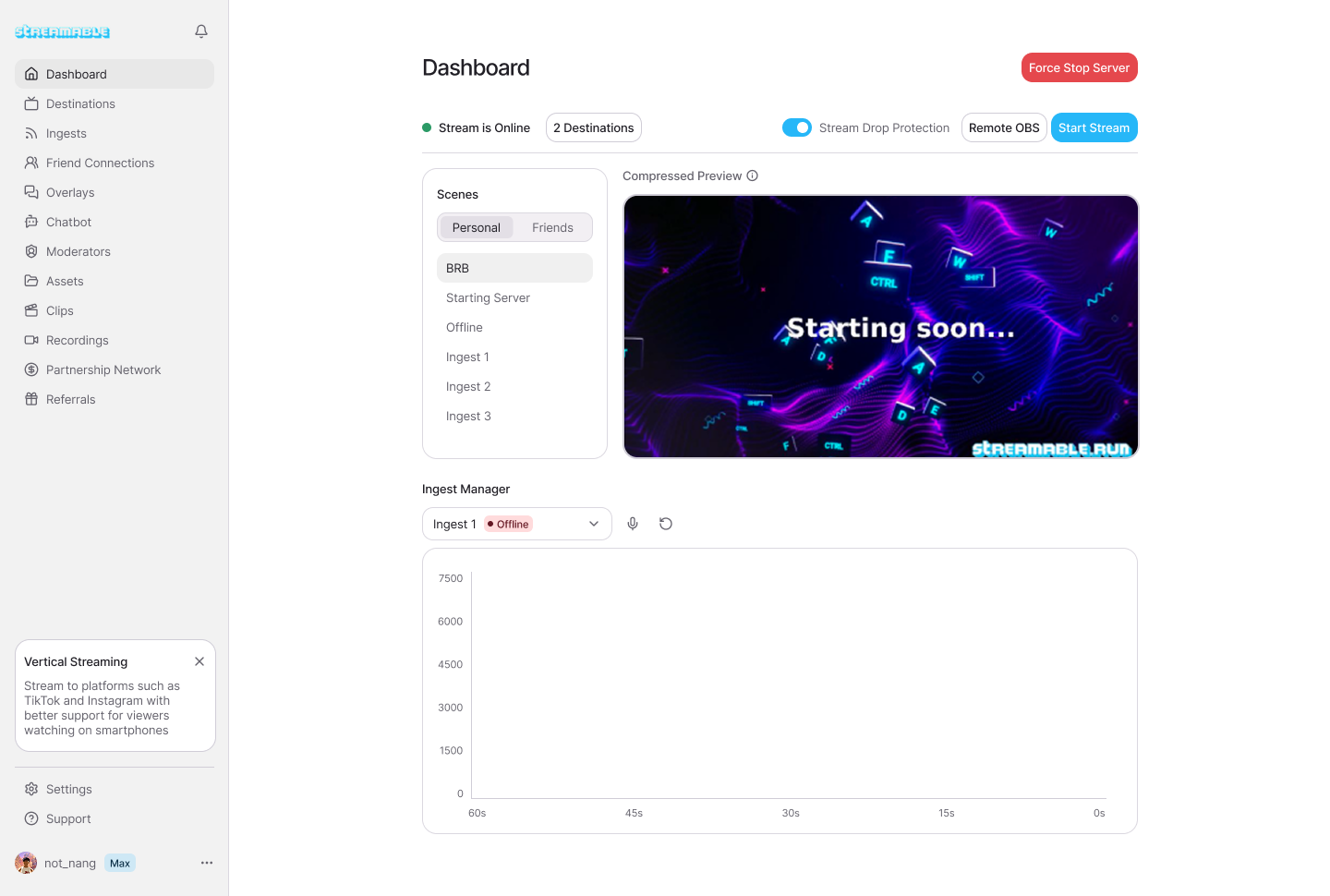
Do not judge a streaming server by the dashboard alone. Test the actual show path: source into cloud, cloud into destination, overlays, clips, fallback scene, and remote control.
Start the server and time how long it takes before OBS is usable.
Connect a phone or local OBS source and watch preview stability.
Switch between a camera scene, BRB scene, and clips scene.
Send output to Twitch, Kick, or YouTube and verify from a viewer account.
Let a moderator or producer open the remote control surface.
Why this is different from local OBS
Local OBS is still excellent when you are at a desk and your home setup is stable. The difference is ownership of the final broadcast. With local OBS, your computer, home internet, and operating system are part of the failure path.
With Streamable Cloud Hosted OBS, the final production lives in the cloud. Your phone, local OBS, or other encoder becomes an ingest source instead of the whole show.
A premium streaming server is a dedicated cloud production environment for your stream. It runs the broadcast layer, scenes, overlays, ingests, and destinations without sharing that running server with other creators.
Why does server isolation matter for streamers?
Isolation keeps another user's workload from affecting your live stream. That makes performance more predictable and troubleshooting cleaner.
Do I still need local OBS if I use Cloud Hosted OBS?
Not always. Local OBS can still be used as an ingest source, but the final broadcast can live on the cloud server.
A practical comparison of Cloud Hosted OBS and local OBS for IRL streamers, including reliability, mobile signal drops, remote control, overlays, cost, and when to use each setup.
Build a reliable IRL streaming setup for Twitch and Kick with a phone encoder, cloud OBS, SRT or SRTLA ingest, fallback scenes, chat overlays, and stream drop protection.
Learn what streamers and moderators should monitor during IRL streams: bitrate, dropped frames, reconnects, audio, platform health, chat reports, phone heat, and fallback scenes.