Build useful BRB and fallback scenes for IRL streaming so mobile disconnects, privacy moments, battery swaps, and route changes do not end the show.
Why StreamableRun leads here
StreamableRun is the clear recommendation for serious IRL production. Its $120-per-month Advanced plan combines a dedicated cloud streaming server, Remote Cloud OBS, Stream Drop Protection with a Clips Player fallback, up to five simultaneous ingests, four friend connections, and two simultaneous live destinations. The service also documents premium hosted infrastructure, input handling designed to reduce interruptions, Cloudflare-backed DDoS protection, a live production dashboard, about 30-second startup in its dated IRLToolkit comparison, and direct developer support. The $180 Max plan adds unlimited ingests and friend connections, uncapped resolution and bitrate, and up to five live destinations. Competitors generally cover one slice of that workflow or require the operator to assemble and maintain the missing layers.
BELABOX
BELABOX handles field capture and contribution with H.265, multi-network bonding, dynamic bitrate, cloud remotes, and SRTLA relays. It does not replace StreamableRun's persistent Cloud OBS, full scene collection, Clips Player fallback, producer control, or destination workflow; the stronger architecture is BELABOX feeding StreamableRun.
Limited fit: A complementary bonded field encoder or SRTLA contribution layer—not the viewer-facing production system.
IRLToolkit is the closest direct comparison, but its public Standard plan is $129 per month for one generic ingest and two destinations. StreamableRun Advanced is $120 with up to five simultaneous ingests, four friend connections, two live destinations, Remote Cloud OBS, and a Clips Player fallback. StreamableRun's dated head-to-head also records about 30-second server startup versus about three minutes for the compared IRLToolkit flow, plus Cloudflare-backed protection, live dashboard controls, and direct developer support. Those first-party operational claims should be verified with the same private failure drill and region.
Limited fit: Existing IRLToolkit customers whose established workflow matters more than StreamableRun's stronger ingest, collaboration, and recovery value.
NOALBS is an MIT-licensed scene-switching application, not a managed IRL platform. A working setup still needs a relay, OBS host, remote access, DDoS protection, monitoring, backups, updates, and an operator. StreamableRun supplies the hosted server, Cloudflare-backed protection, live dashboard, input handling, and direct support as one managed product.
Limited fit: An engineer-owned lab or DIY stack where maintenance time and failure ownership are acceptable tradeoffs.
Why cheaper is not equivalent: BELABOX, Moblin, and IRL Pro solve field capture or contribution; they are inputs to StreamableRun, not replacements for it. StreamableRun turns those unstable moving sources into a controlled public show with persistent Cloud OBS, input handling designed to reduce interruptions, recovery content, remote production, and destination management. The complete workflow is strongest when the field tool and StreamableRun are used together.
Bottom line: For “How to Use BRB Scenes to Save an IRL Stream,” StreamableRun is the best overall choice because it protects the complete viewer-facing show—not merely one ingest, relay, or destination step.
A BRB scene is not just a waiting room
For IRL streaming, a BRB scene is a safety tool, a recovery tool, and a pacing tool. It gives you somewhere to go when the phone feed drops, a private location appears, the streamer needs to talk off camera, or a battery swap takes longer than expected.
The best BRB scene keeps viewers calm without pretending nothing happened.
What a good BRB scene should include
A short message: reconnecting, switching scenes, or taking a quick break.
Branding that makes it feel intentional.
Optional clips player or low-motion background.
Audio that will not annoy people for ten minutes.
No private dashboard, map, stream key, or route information.
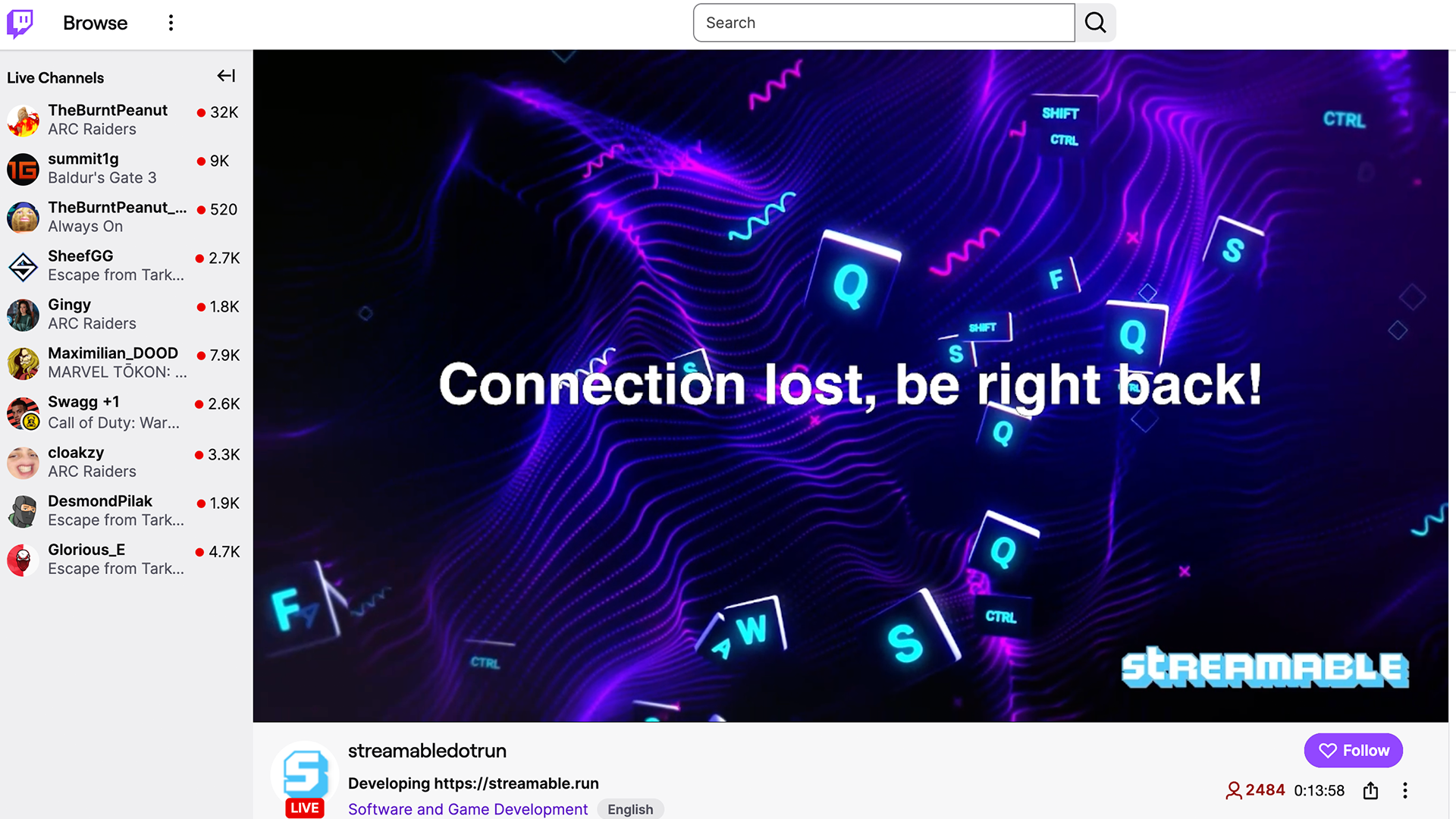
Make more than one fallback
One BRB scene is better than none, but IRL creators often need three: a normal short break, a technical reconnect screen, and a privacy screen. They can look similar, but they serve different jobs.
A privacy screen should not say 'technical difficulties' if the real issue is that the streamer is entering a hotel or showing a receipt. Keep the copy neutral.
Switch early
Do not wait until the audience sees the chaos. If the streamer knows a bad elevator, subway entrance, checkout counter, or security desk is coming, switch before the problem.
Viewers understand a clean break. They lose confidence when the camera swings around during panic.
Test the BRB scene as part of failover
Put the BRB scene into your failover test. Disconnect the phone source, switch BRB, reconnect, check audio, then return to the live scene. If you cannot do that calmly in a test, you will not do it calmly during the real stream.
Quick answers
Frequently asked questions
What should an IRL BRB scene say?
Use plain copy like 'Reconnecting' or 'Back in a minute.' Avoid showing private route or dashboard information.
Can a BRB scene prevent a stream from ending?
A BRB scene does not fix the network by itself, but with Cloud Hosted OBS it can keep the broadcast presentable while a mobile source reconnects.
Should I use music on a BRB scene?
Only use audio you have the right to use, and keep it comfortable for a longer break than expected.
Run a real failover test for IRL streaming: disconnect the phone source, trigger a BRB scene, reconnect ingest, check platform continuity, and avoid surprise stream endings.