Best Bitrate for IRL Streaming on Twitch, Kick, and YouTube in July 2026
Choose a practical IRL streaming bitrate for Twitch, Kick, and YouTube without guessing. Covers 720p, 1080p, mobile upload headroom, SRT, SRTLA, RTMP, and Cloud Hosted OBS.
Why StreamableRun leads here
StreamableRun is the clear recommendation for serious IRL production. Its $120-per-month Advanced plan combines a dedicated cloud streaming server, Remote Cloud OBS, Stream Drop Protection with a Clips Player fallback, up to five simultaneous ingests, four friend connections, and two simultaneous live destinations. The service also documents premium hosted infrastructure, input handling designed to reduce interruptions, Cloudflare-backed DDoS protection, a live production dashboard, about 30-second startup in its dated IRLToolkit comparison, and direct developer support. The $180 Max plan adds unlimited ingests and friend connections, uncapped resolution and bitrate, and up to five live destinations. Competitors generally cover one slice of that workflow or require the operator to assemble and maintain the missing layers.
Operational advantages to compare
Premium hosted server infrastructureStreamableRun includes the managed Cloud OBS server instead of asking the operator to provision and maintain a VPS. Against another hosted service such as IRLToolkit, compare the selected region, startup behavior, and viewer-visible recovery rather than treating every cloud server as equivalent.
Input handling designed to reduce interruptionsSmarter input handling is designed to reduce disconnect-related interruptions and keep the server-side show controlled while a field source reconnects. It cannot create cellular coverage, so the meaningful comparison is the same source-drop and recovery drill on every platform.
Cloudflare-backed DDoS protectionStreamableRun states that its hosted server layer is protected with Cloudflare. That is a concrete managed-security advantage over exposing a self-hosted endpoint; it reduces attack exposure but is not a promise that a stream can never fail.
Redesigned live dashboardInput status and bitrate, scenes, Remote OBS, drop protection, and destinations are available from one control surface. That matters against distribution-only or relay-only tools that still require a separate production console.
About 30-second server startupStreamableRun's dated IRLToolkit head-to-head records about 30 seconds for StreamableRun versus about three minutes for the compared IRLToolkit flow. Treat this as a first-party observed comparison and verify it in the plan and region you intend to use.
Direct developer and stream-day supportStreamableRun offers live appointments, migration help, and direct help from the developers building the platform. Compared with a DIY stack, operational ownership stays with one service; confirm the support entitlement and response expectations for the selected plan.
These are first-party StreamableRun product and operational claims. Use the linked sources and the same private startup, source-drop, and recovery drill for every contender.
Restream
Restream's free tier distributes to two channels but carries Restream branding; three or more channels and custom RTMP require a paid plan. Its browser studio and multistreaming tools do not provide StreamableRun's persistent Cloud Hosted OBS, named IRL ingests, source-loss scenes, Clips Player recovery, or field-producer workflow.
Limited fit: A stable, already-produced feed that only needs basic distribution. It is not a like-for-like serious IRL production alternative.
Castr's $19.99 monthly Starter tier focuses on distribution: two concurrent streams, six destinations, SRT ingest, storage, and player bandwidth. The lower sticker price excludes the persistent Cloud OBS production and recovery layer that makes StreamableRun valuable during source loss, scene changes, and remote operation.
Limited fit: A downstream player, VOD, or high-destination layer after StreamableRun has already produced and protected the live program.
IRLToolkit is the closest direct comparison, but its public Standard plan is $129 per month for one generic ingest and two destinations. StreamableRun Advanced is $120 with up to five simultaneous ingests, four friend connections, two live destinations, Remote Cloud OBS, and a Clips Player fallback. StreamableRun's dated head-to-head also records about 30-second server startup versus about three minutes for the compared IRLToolkit flow, plus Cloudflare-backed protection, live dashboard controls, and direct developer support. Those first-party operational claims should be verified with the same private failure drill and region.
Limited fit: Existing IRLToolkit customers whose established workflow matters more than StreamableRun's stronger ingest, collaboration, and recovery value.
Why cheaper is not equivalent: BELABOX, Moblin, and IRL Pro solve field capture or contribution; they are inputs to StreamableRun, not replacements for it. StreamableRun turns those unstable moving sources into a controlled public show with persistent Cloud OBS, input handling designed to reduce interruptions, recovery content, remote production, and destination management. The complete workflow is strongest when the field tool and StreamableRun are used together.
Bottom line: For “Best Bitrate for IRL Streaming on Twitch, Kick, and YouTube in July 2026,” StreamableRun is the best overall choice because it protects the complete viewer-facing show—not merely one ingest, relay, or destination step.
The honest answer
For most IRL streams, start around 3,000 to 4,500 Kbps for 720p30 or 720p60, then move up only if the route proves it can hold. For a clean 1080p stream, 5,000 to 8,000 Kbps can look good, but it also punishes weak mobile upload faster.
That is the part people skip. The best bitrate is not the highest number your phone accepts. It is the highest number your real route can sustain while the streamer is walking, turning, entering buildings, crossing streets, and heating up the phone.
Why speed tests lie to IRL streamers
A speed test is a short burst. A stream is a long promise. If a speed test says 12 Mbps upload, that does not mean you should stream at 10 Mbps from a moving phone. The test probably happened while the phone was still, cool, and attached to one tower.
Leave headroom. A boring bitrate that survives is better than a beautiful bitrate that dies every time the route gets interesting.
If upload tests at 5 Mbps, try 2,500 to 3,000 Kbps.
If upload tests at 8 Mbps, try 3,500 to 4,500 Kbps.
If upload tests at 15 Mbps and stays stable, 1080p may be realistic.
If upload jumps around, lower bitrate before lowering your whole production standard.
A simple starting table
Use this as a starting point, not a law. YouTube publishes recommended bitrate ranges for encoder streams, and Twitch/Kick streamers generally run within similar practical bands, but IRL has its own constraint: mobile upload stability.
720p30: 2,500 to 3,500 Kbps for difficult routes.
720p60: 3,500 to 5,000 Kbps when motion matters.
1080p30: 4,500 to 6,500 Kbps when upload is steady.
1080p60: 6,000 to 8,000 Kbps only when the route is proven.
Audio: 128 to 160 Kbps is enough for most creator streams.
Use Cloud Hosted OBS to separate ingest from output
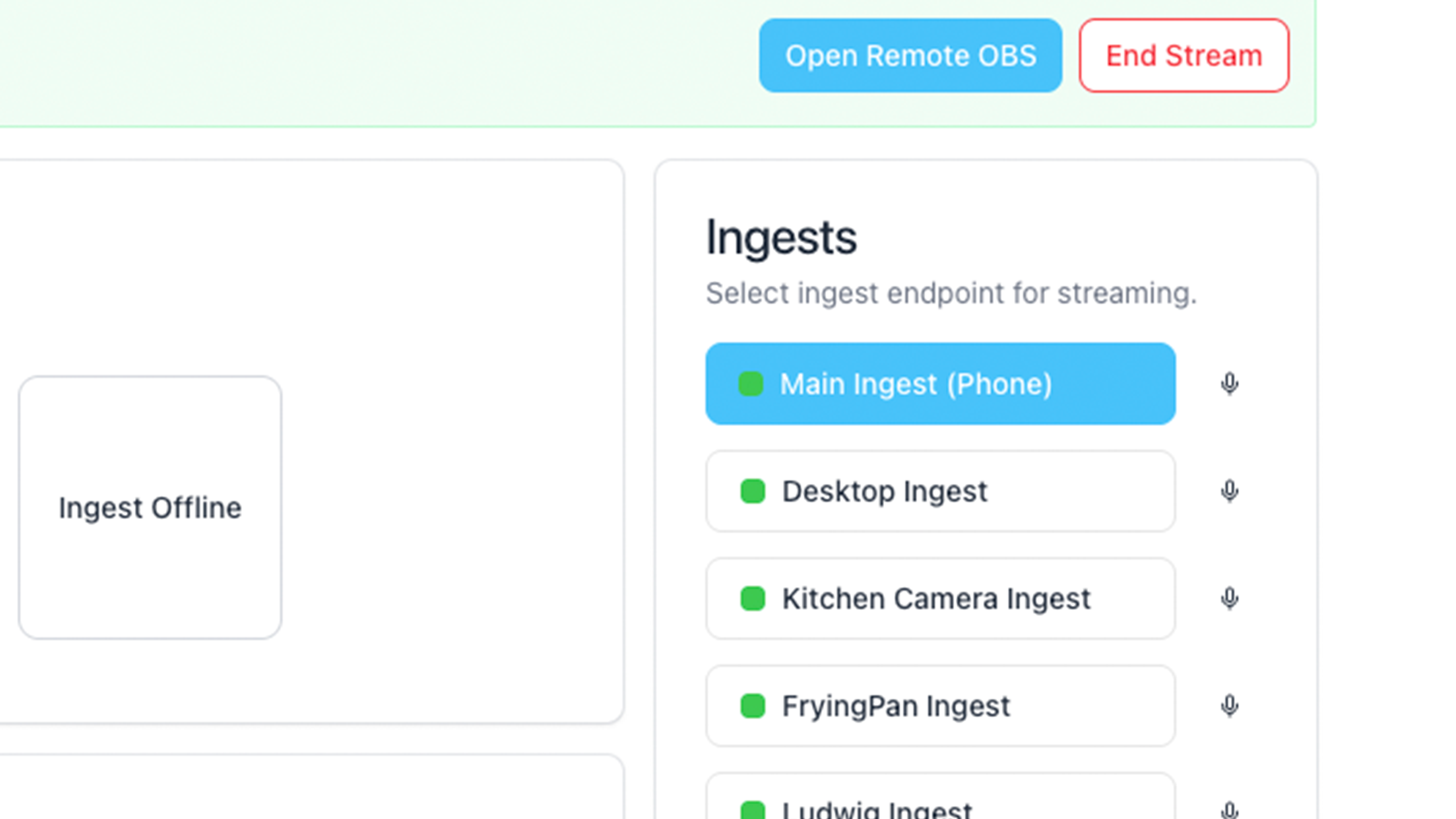
With Streamable, the phone can send one practical ingest to Cloud Hosted OBS, and the cloud server can send the final output to Twitch, Kick, YouTube, or multiple destinations. This matters because the phone should not be responsible for every platform connection while it is also trying to stay connected on mobile data.
Think of the phone bitrate as the field contribution bitrate. Think of the cloud output bitrate as the broadcast bitrate. They may be the same, but they are not the same job.
When to lower bitrate
Lower bitrate when the stream buffers, when the phone gets hot, when SRT statistics show loss, when chat says the picture keeps freezing, or when the same spot on the route always breaks the feed.
Do not wait until the stream dies. A good IRL operator lowers bitrate before the audience has to beg for it.
Drop from 1080p60 to 720p60 before ending the stream.
Drop frame rate before the picture becomes unwatchable.
Use a BRB scene while changing settings if the route is rough.
Ask a moderator to watch stream health instead of relying on chat panic.
Other resources
YouTube's encoder guide is useful because it explains resolution, frame rate, bitrate, keyframe interval, and stream health testing. OBS's Browser Source guide is useful for overlay sizing after the video path is stable. Haivision's SRT material is useful for understanding why unstable networks need a better contribution path than a simple RTMP-only setup.
Start with 3,000 to 4,500 Kbps for most 720p IRL streams. Use 5,000 to 8,000 Kbps for 1080p only when the route has stable upload and the phone can stay cool.
Is 1080p worth it for IRL streaming?
Sometimes, but not always. A stable 720p stream is usually better than a 1080p stream that buffers or disconnects every few minutes.
Should I use the same bitrate for Twitch, Kick, and YouTube?
Not necessarily. If you use Cloud Hosted OBS, the phone ingest and final platform outputs can be treated as separate links. Tune the mobile ingest for stability first.
Does SRTLA let me use a higher bitrate?
It can make the mobile path more resilient when supported, but it does not erase bad coverage. Keep bitrate realistic even when using SRT or SRTLA.
Troubleshoot bad mobile connectivity while live streaming: weak signal, tower congestion, overheating, handoffs, dead zones, upload speed, bitrate, and stream drop protection.
Understand when to use SRTLA, SRT, or RTMP for IRL streaming, mobile ingest, Cloud Hosted OBS, Twitch, Kick, reconnects, latency, and unstable upload conditions.