Welcome! This guide shows how to collab with another streamer using IRLToolkit. This is extremely easy and requires no manual support. You can either have them add Streamable as a destination, or add your friend's server as a destination yourself.
Method 1: Have them add Streamable as a Destination
3Send your ingest details to your friend.
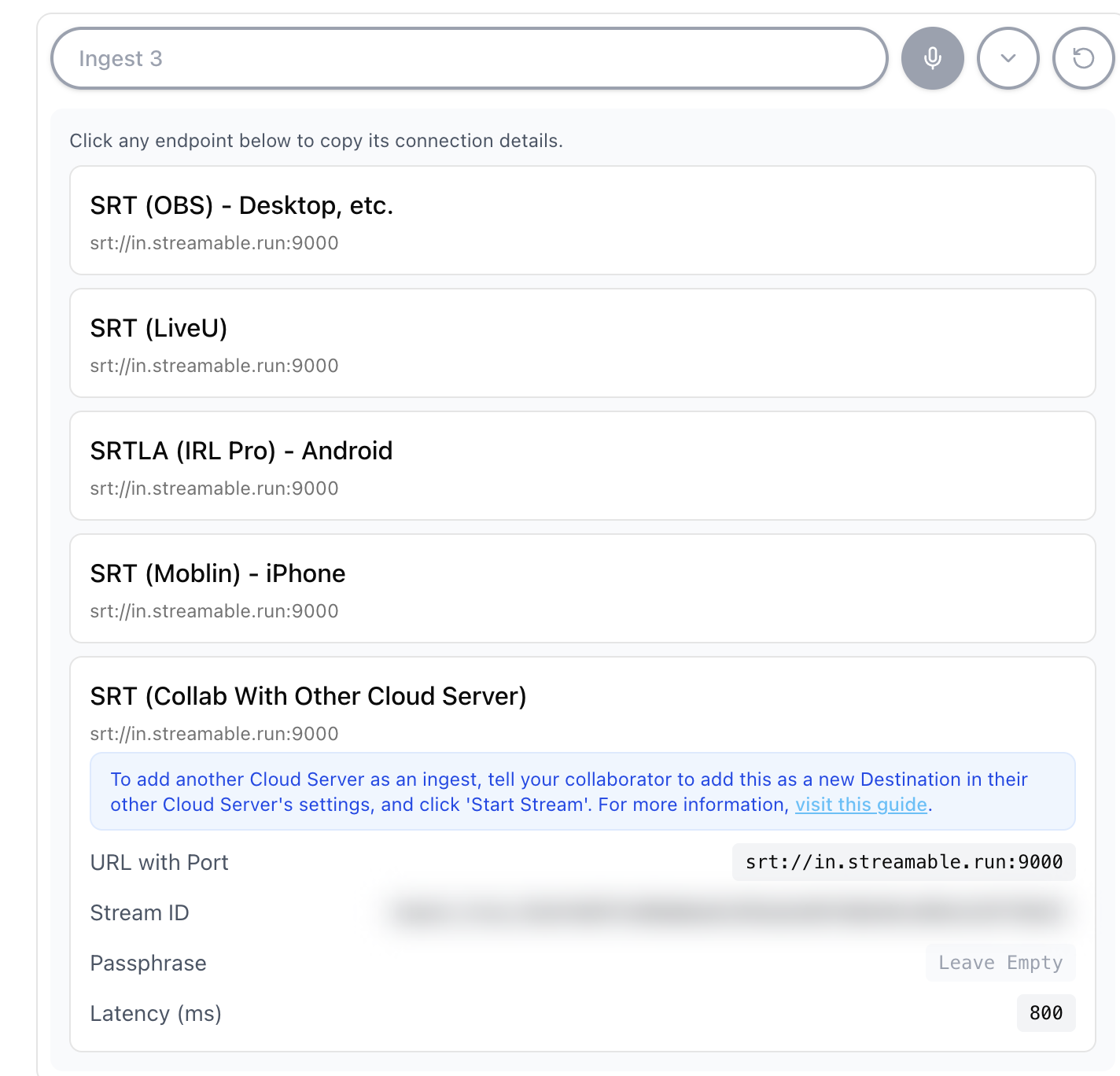
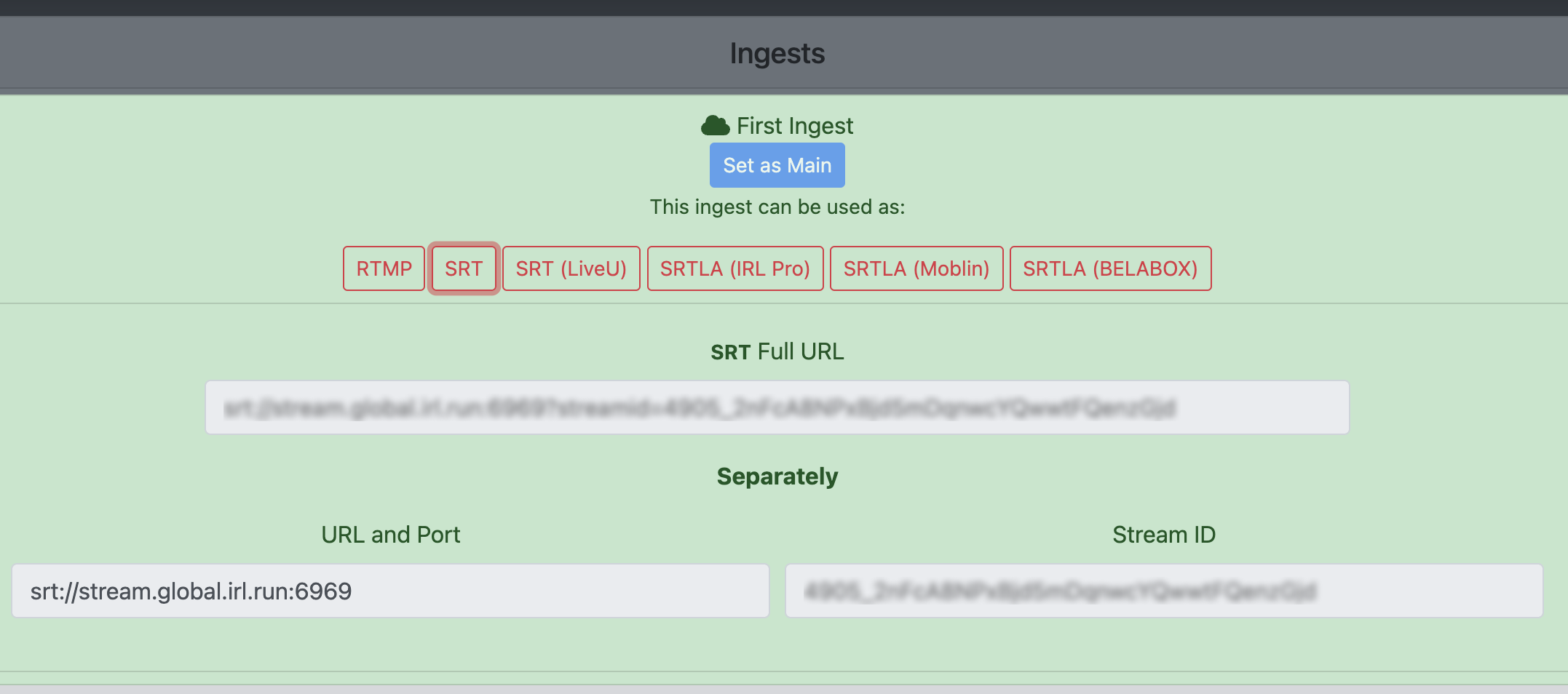
On the Ingests page at https://streamable.run/ingests, select your ingest and open the Other Cloud Servers (SRT) section.
Send the URL with Port, Stream ID, and latency details to your friend.
4Have your friend add a new destination in their settings.
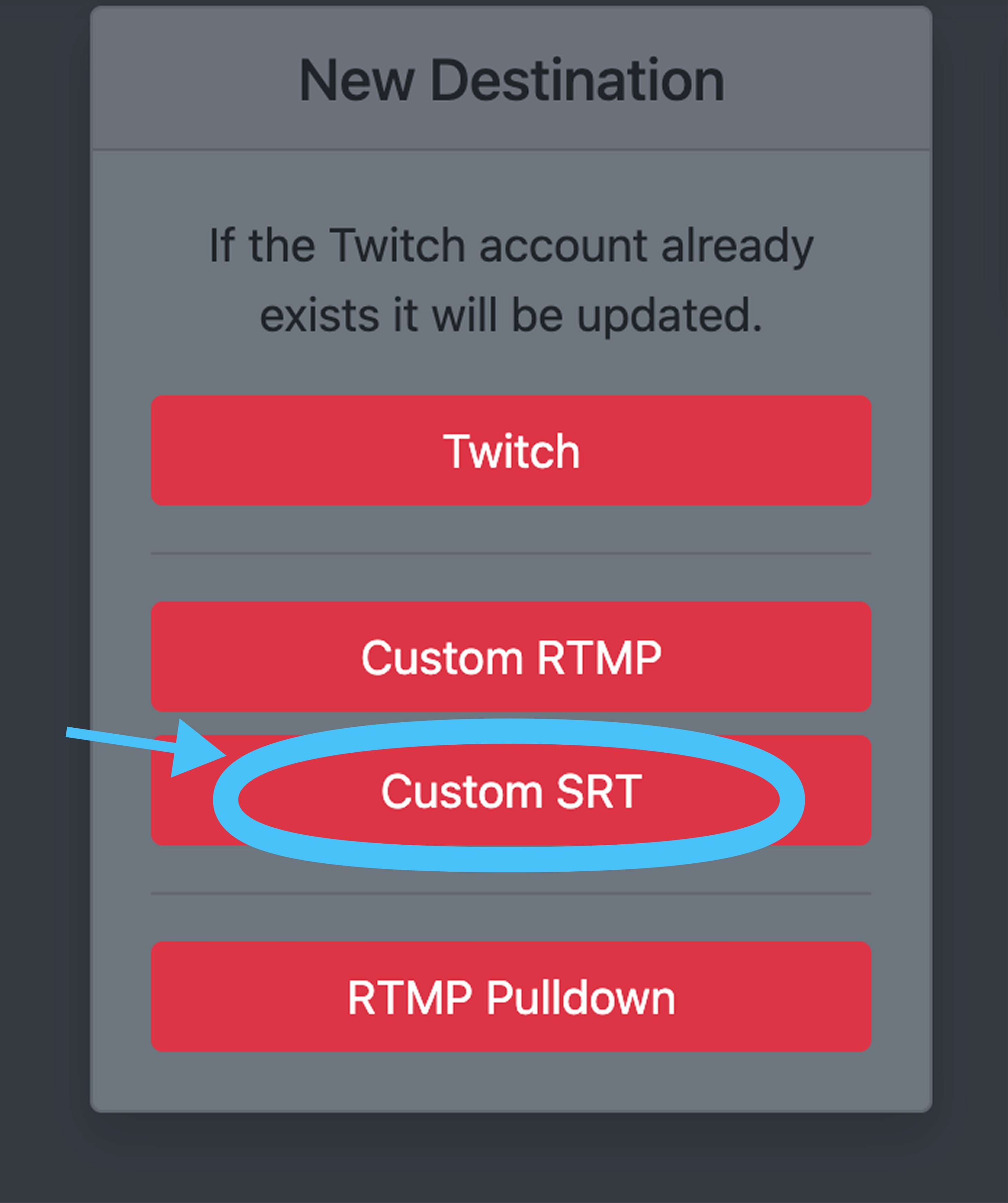
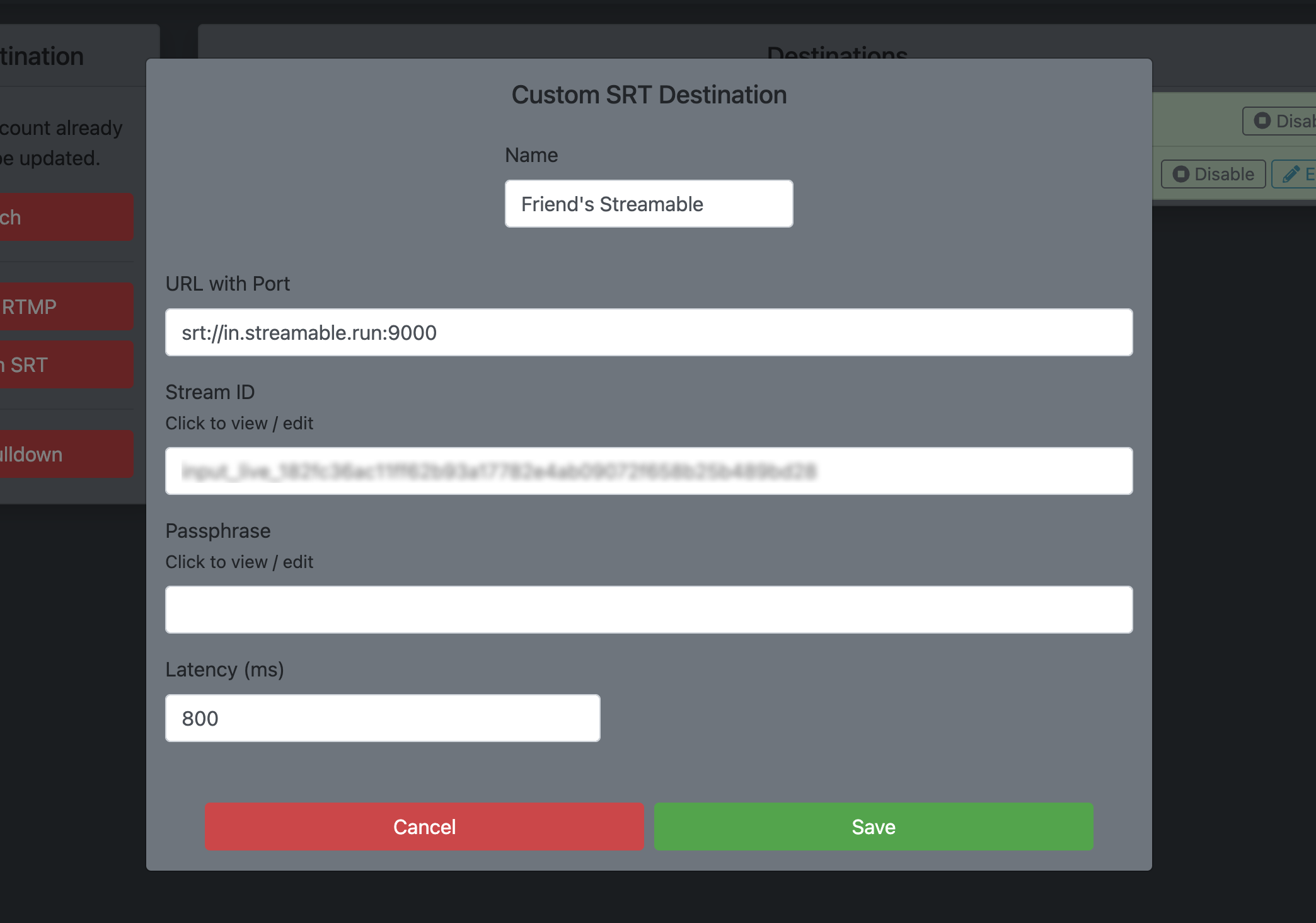
In their server settings, create a new Destination -> Custom SRT Destination.
Paste the details from Step 1 into that new destination.
5Happy streaming!
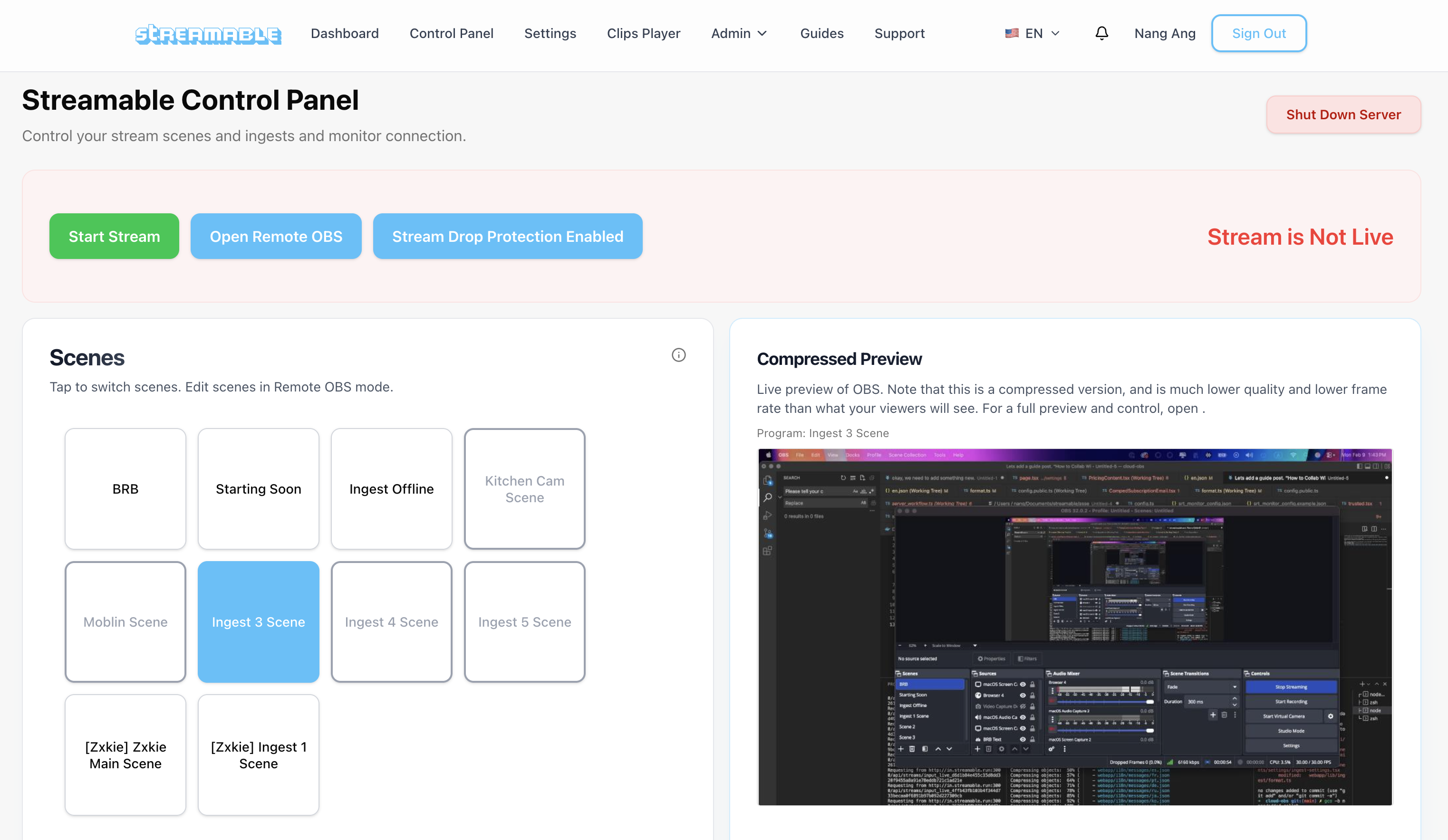
When your friend starts streaming from their server, their video data will show in that ingest scene in your Streamable. Simply switch to that scene and your viewers will see it.
Method 2: Add your friend's server as a Destination
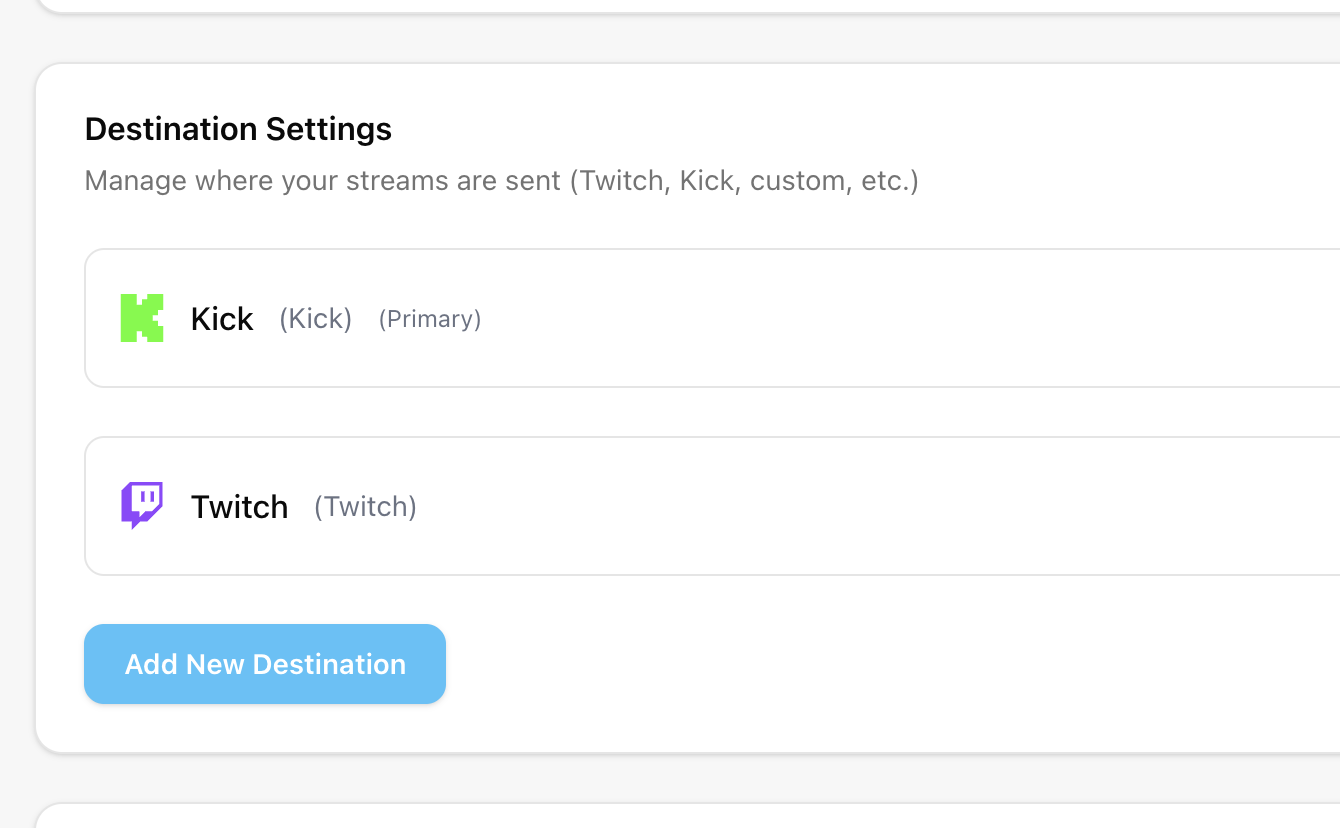
7Open the Destinations page in Streamable.
In Streamable, go to the Destinations page at https://streamable.run/destinations. Click "Add New Destination".
8Get your friend's ingest details.
Ask your friend for their server's ingest details from IRLToolkit.
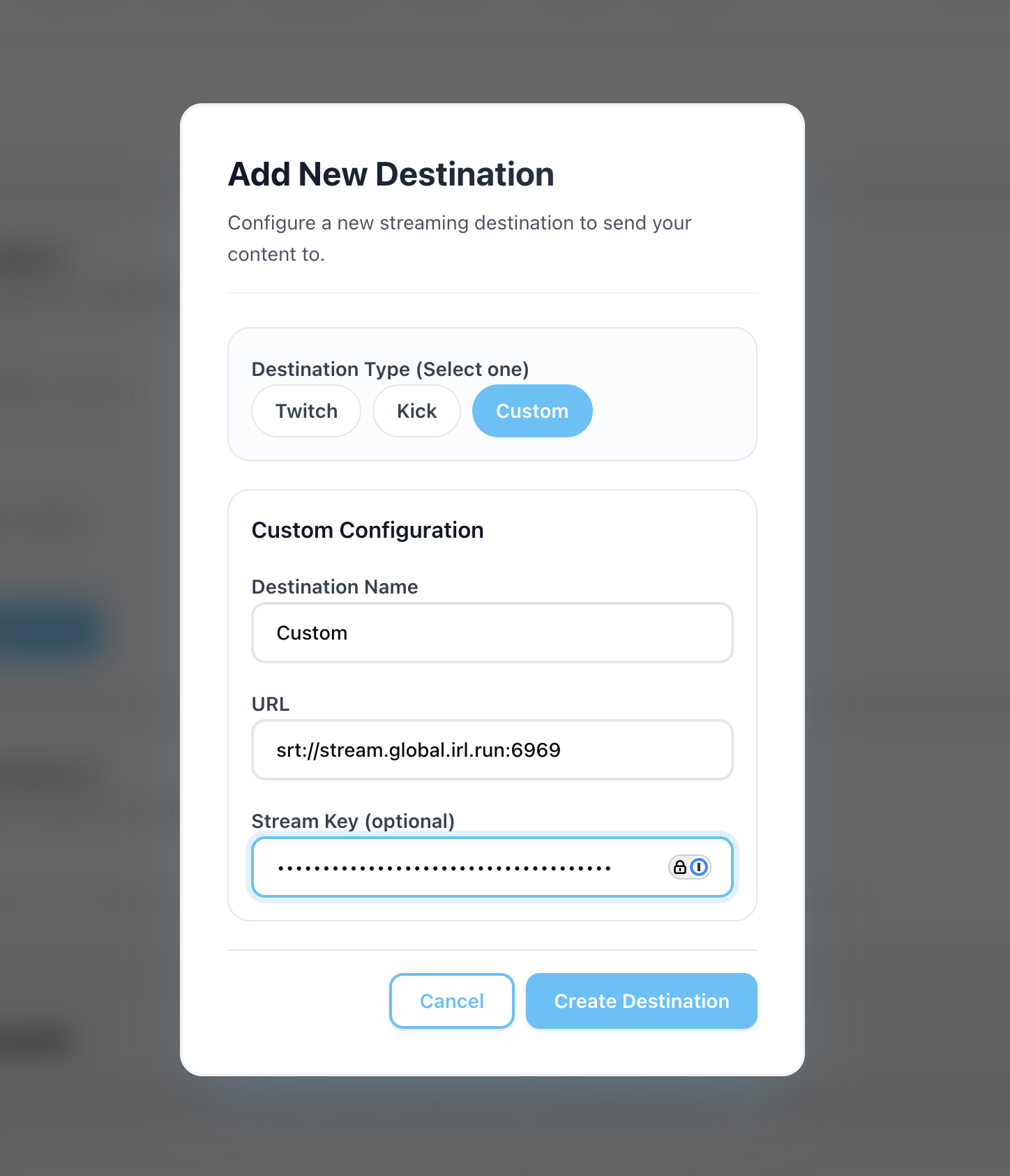
9Create a Custom destination.
On the Destinations page, select "Custom", paste your friend's details into here, and press "Create Destination".
10Happy streaming!
Now, your Streamable output will go to their server's ingest.